
Not for those who have unlocked and/or jailbroken their iPhones or iPod touches. For the rest, you can update your firmware to 3.1.3 which was made available today. The updates in the firmware 3.1.3 include:
Download iOS/iPhone firmware for iPhone (2G, 3G, 3Gs and 4), iPod Touch (2G and 3G) and iPad
Important
Now you can do untethered Jailbreak of your iPhone 3G/3Gs running latest firmware 3.1.3 with "Spirit".
Step by Step iPhone and iPod Touch (All models) Firmware 3.1.3 Jailbreak Guide Using Spirit
Better support for 3rd party applications (They crash sometimes)
- Improved and more accurate battery indicator
- fixes bug that may cause an app to crash when using the Japanese Kana keyboard

OR if you have not upgraded your iTunes to the latest 9.0.3 then you may not see the dialog box pop up but you can still see the update message on the iTunes like this:
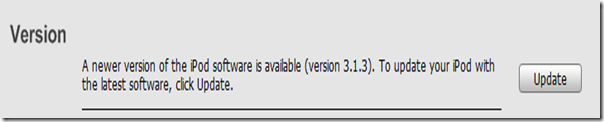
Updating is pretty simple. All you have to do is connect your iPhone/iPod touch to computer and open iTunes (or it opens automatically) and pops up the update firmware window. Click Download and Install.
Again, beware that those who have jailbroken their phones or iPod touch SHOULD NOT update! Here is the official version of the warning from the dev-team:
If you care about your jailbreak and unlock, don’t update your device - 3G and 3G(S) owners should pay particular attention to this warning.
- PwnageTool and redsn0w are not yet compatible with 3.1.3
- There is no estimated release time for compatible tools (please don’t bug us about this).
Direct download links for the firmware 3.1.3 are on their way so stay tuned.
Jailbreak their iPhone or iPod touch firmware 3.1.2 using Sn0wBreeze