
 Windows 7 RC was made available for download to everyone by Microsoft on 5th May. I am using it’s 64 Bit Version and I am loving it. Its a great improvement in Windows OS and its the finest Windows operating system ever made by Microsoft. As many people are exploring about Windows 7, I have taken some screenshots and gathered some links that you may have been looking for:
The Desktop
No more performance hog sidebar, gadgets are placed on desktop
Media Center is wonderful! with great new options, you have to try it 
Media Player needs no more codec patches to play media, ( well, still there are some formats that need third party codecs to be installed)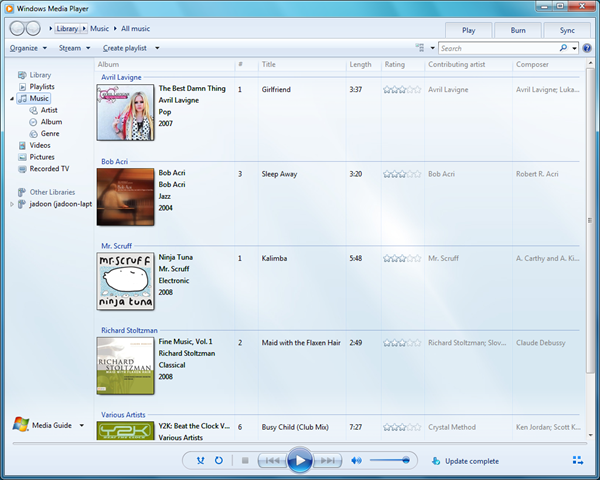
Action Center is one of the best feature of Windows 7, it tells you what’s going on with you PC and will help you to tune it. 
Links:
- Download Windows 7 Release Candidate
- Windows 7 keyboard shortcuts
- Video: What’s new in Windows 7 Release Candidate
- Install Windows 7 on Mac with VMware Fusion: A Practical Guide Revisited
- 12 things you need to know before installing Windows 7 Release Candidate
- 15 ways to tweak Windows 7 RC
- Adding Windows 7 to Linux Multiboot
- Free Windows 7 themes by ProgrammerFish
- Free Windows 7 Themes by ithinkdiff
- Microsoft Readyboost technology in Windows 7 – what’s new
- Windows 7 Taskbar .NET Sample Library Review
- Windows 7 on Netbook PCs
- What to expect from Windows 7
- A Developer’s Guide to Preparing for Windows 7
- Search Twitter from Windows 7
- Engineering Windows 7 Blog
- Windows 7 RC vs. Vista SP 1 – Gaming Performance
You know an interesting link? please share it in the comments 🙂